Recipes & Meal Planning
It's 11pm, you're three scrolls deep on TikTok, and someone's just tipped an obscene amount of garlic into a pan with total confidence. Thirty seconds later, you've mentally decided you're making that this week.
Then, predictably, nothing happens. The video slides into your Liked tab, filed away next to four hundred other recipes you were absolutely going to cook "one day."
Here's the thing though: that's not a willpower problem. It's a tools problem. TikTok is built for watching, not for cooking from. There's no ingredient list sitting under the video, no method broken into steps, and definitely no shopping list waiting for you at the till. So here's how to actually get a recipe out of your phone and onto your plate, without doing all the tedious bit yourself.
This isn't just a you problem. A survey from Instacart found that of people who save recipes from social media, only around a third say they always or often actually go on to make them. About one in five say they rarely or never do. Everyone else sits in "sometimes" limbo, which is really just a nicer way of saying "maybe, eventually, probably not."
Of people who save recipes from social media, roughly a third say they always or often actually make them. About one in five rarely or never do, with everyone else somewhere in between.
Source: Instacart survey on saved social media recipes.
Even if you do go back for a saved recipe, the video itself might not still be there. A peer-reviewed study that tracked over 800 popular TikTok videos for a year found more than a third had become inaccessible by the twelve-month mark, deleted, made private, or removed entirely. A save on TikTok is a bookmark, not a backup.
Most recipe apps were built for a different internet. Paprika is genuinely excellent at clipping a recipe from a food blog, but point it at a TikTok link and it has nothing to grab onto, since there's no structured recipe sitting under the video for it to read. Mealime doesn't let you import outside recipes at all, from anywhere. AnyList and Plan to Eat tell much the same story: strong at what they actually do (shopping lists and meal calendars, respectively), but both limited to importing from websites.
None of that is really a knock on those apps. Video-first platforms simply weren't part of the brief when most of them were built, and none of them have caught up since.
A quick, factual look at the one feature that decides whether a video recipe is even worth saving.
| App | Imports recipes from TikTok / YouTube |
|---|---|
| FoodieFlow | |
| Paprika 3 | |
| Mealime | |
| AnyList | |
| Plan to Eat | |
| Yummly | |
| BigOven | |
| SideChef | |
| Whisk (Samsung Food) | |
| Prepear |
Table current as of July 2026, based on each app's official site and current store listings. See our full meal planning app comparison for the wider feature set.
If you'd rather not install anything new, here's the process:
This works. It's also exactly why most TikTok recipes never get cooked: by the time you've done all that, the moment's passed and you're three videos further into your scroll.
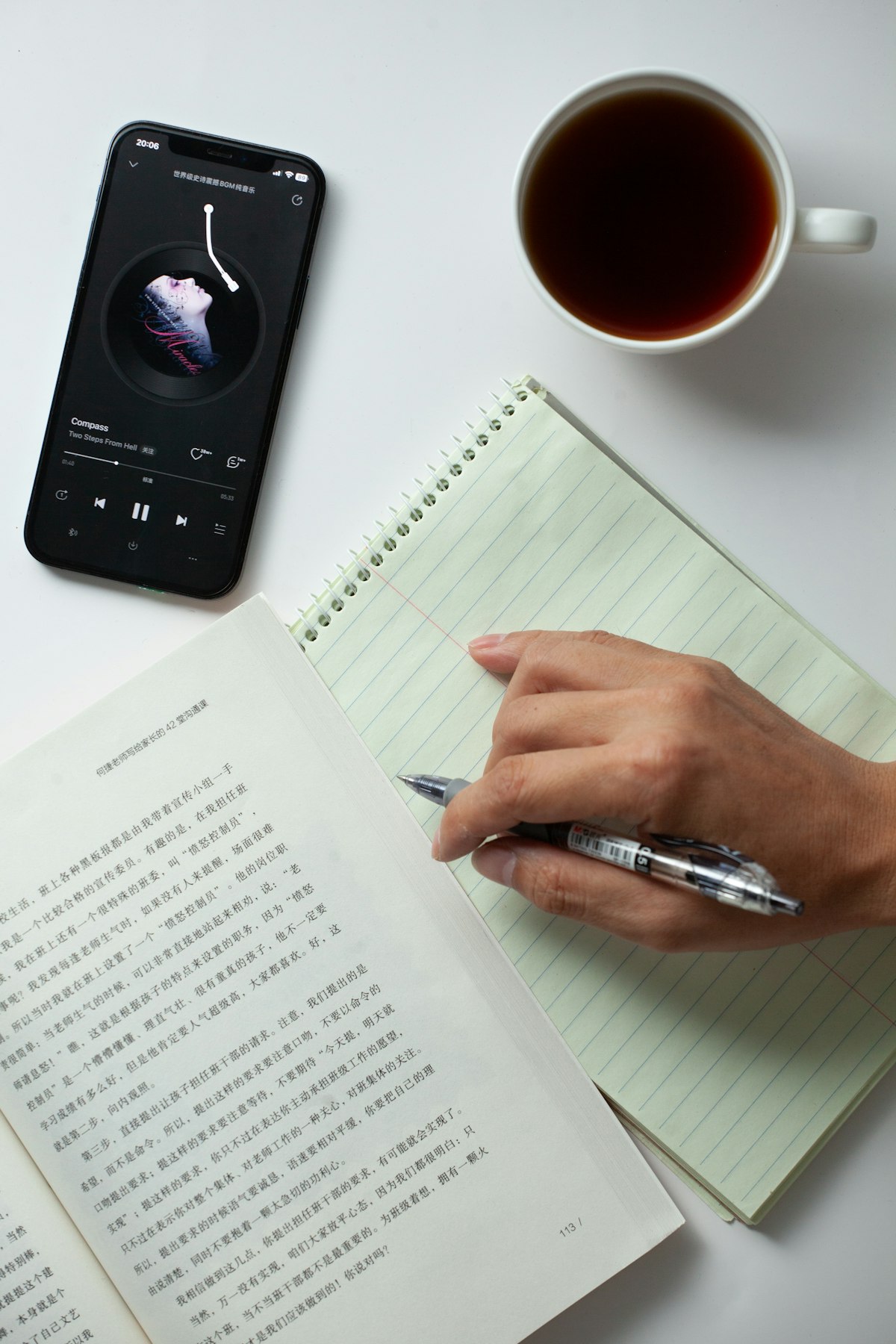
The manual way: pause, rewatch, write it all down by hand.
Some people screen record the video so it's saved locally, then transcribe the recipe whenever they've got five minutes spare. It's a bit faster than rewatching in the app itself, but you're still doing all the translation work by hand: ingredients, quantities, and a shopping list, all typed out yourself, just on your own schedule instead of at 11pm.
This is the option that actually solves the problem, instead of just working around it.
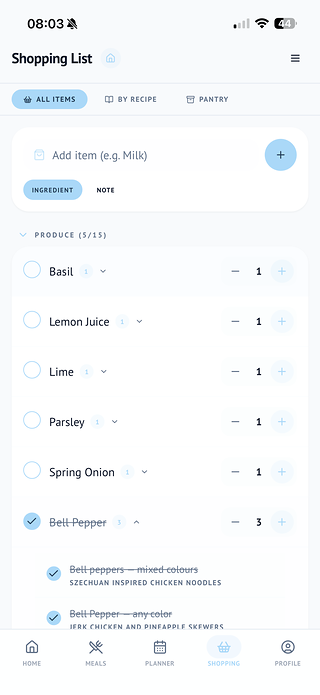
In FoodieFlow, you paste the TikTok link in, and the app pulls the recipe out (ingredients, method, and all) and drops it straight into your recipe library. From there:
The same import works for YouTube videos, photos of recipe cards, or a screenshot of a recipe someone's sent you. Basically anywhere a recipe turns up in real life, rather than just the handful of cooking blogs older apps were built around.
This is easier to feel than to explain. Paste the sample link, or tap one of the example videos, and watch it unpack into a recipe, a meal plan slot, and a shopping list.
Look across the major meal planning apps right now and there's a genuine, obvious gap. Paprika's own users regularly ask for social video import. Mealime's recipe catalogue is closed off entirely, you can't bring your own recipes in at all. AnyList and Plan to Eat are excellent at lists and calendars, but neither touches video import either.
It's less that any of these apps did something wrong, and more that they were built for a different moment. TikTok wasn't really a recipe source when most of them launched, and it shows. For context, recipes are now the single most common type of influencer content worldwide, and a growing share of under-25s use TikTok itself as a search engine for finding food ideas rather than Google. The apps built to organise that content just haven't caught up yet.
How FoodieFlow Helps
Next time a recipe stops your scroll, don't let it disappear into a graveyard of saved videos. Paste the link into FoodieFlow, and it's sitting in your meal plan and your shopping list before the next video even loads.
Free tier available on Google Play, with the App Store currently in open beta.
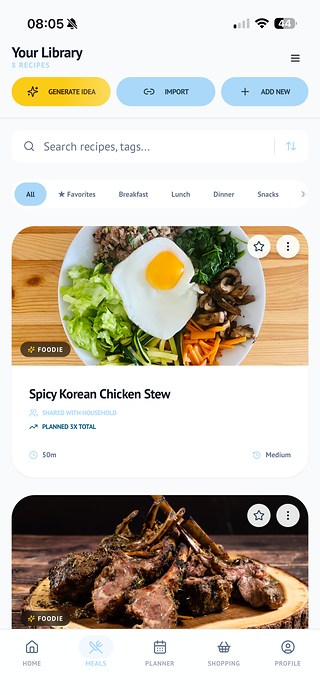
Yes. Paste the TikTok link into FoodieFlow and it extracts the ingredients and method automatically, no manual transcribing needed.
Yes, the same import works for YouTube videos, not just TikTok.
FoodieFlow can also import from a photo of a recipe card, or a screenshot someone's sent you, not just video links.
Once a recipe's been imported into your own recipe library, it exists as its own saved text, ingredients and steps, so it doesn't matter if the original video is later deleted or made private.
There's a free tier available. Pro Chef is an optional paid upgrade, from £3.99/month, for extras like macro breakdowns.
Paprika is built to clip recipes from websites, not videos, so it has nothing to read from a TikTok link. Mealime doesn't support importing outside recipes at all. AnyList and Plan to Eat are similarly focused on web recipes rather than video.
App features, pricing, and functionality mentioned for third-party apps reflect publicly available information at the time of writing and may have changed since.
Save the recipes you actually want to cook, plan your week around them, and never retype an ingredient list again. Free to start.
Free to download. No card required.